Free Online PS Web Version for Mobile - Professional Photo Editing Without Download
No download required - open your mobile browser and access professional PS features instantly. Supports layers, filters, background removal and more - completely free online photo editing.

In today’s fast-paced digital world, having access to professional photo editing tools on your mobile device is no longer a luxury—it’s a necessity. Whether you’re a content creator, social media manager, or simply someone who loves capturing and sharing moments, the ability to edit photos on the go can transform your creative workflow. The good news? You don’t need to download expensive apps or subscribe to costly services. Free online PS web versions for mobile devices offer professional-grade features right in your browser.
What is Online PS for Mobile?
Online PS for mobile refers to web-based photo editing platforms that provide Photoshop-like functionality directly through your mobile browser. Unlike traditional desktop software that requires installation and substantial storage space, these online tools work seamlessly on smartphones and tablets without any downloads.
Key advantages of mobile online PS:
- No installation required: Access all features through your mobile browser
- Cross-platform compatibility: Works on iOS, Android, and any device with a modern browser
- Storage-friendly: Doesn’t consume valuable device storage
- Always up-to-date: Cloud-based tools receive automatic updates
- Free to use: Most features available without subscription fees
These platforms have revolutionized how we approach mobile photo editing, making professional tools accessible to everyone regardless of their device’s specifications or operating system.
Why Choose Mobile Online PS Over Desktop Apps?
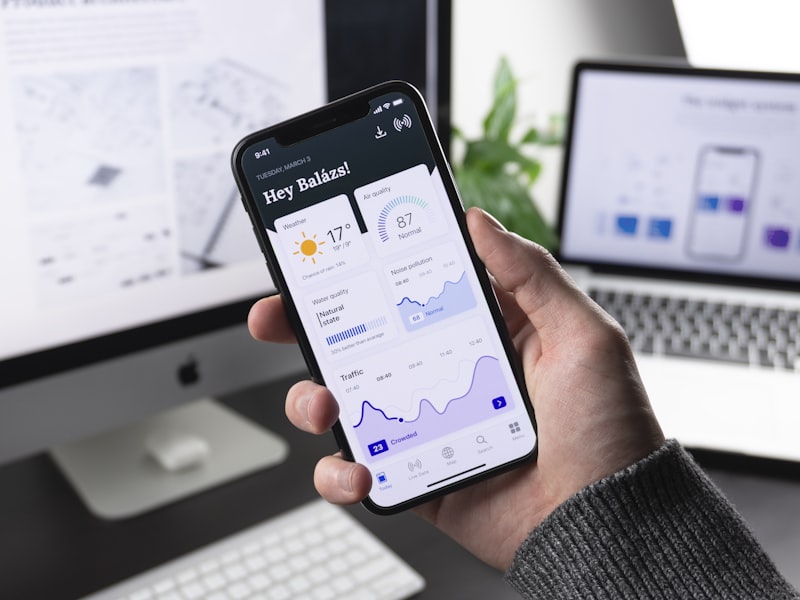
The traditional approach to photo editing involved powerful desktop computers with specialized software. However, mobile online PS solutions offer compelling advantages that make them increasingly popular:
Convenience and Accessibility
With mobile online PS, your editing studio travels with you. Whether you’re commuting, waiting in line, or relaxing at a coffee shop, you can edit photos whenever inspiration strikes. There’s no need to wait until you’re at your desk—your creative tools are always at your fingertips.
Reduced Hardware Requirements
Desktop photo editing software often demands powerful processors, ample RAM, and dedicated graphics cards. Mobile online PS shifts this processing to cloud servers, allowing even budget smartphones to handle complex editing tasks that would otherwise overwhelm the device.
Instant Collaboration
Many online PS platforms offer built-in cloud storage and sharing features. This means you can start editing on your mobile device and continue on a desktop computer, or share your work with collaborators in real-time without managing file transfers.
Essential Features of Mobile Online PS
When evaluating mobile online PS tools, look for these essential features that ensure a professional editing experience:
Layer Support

Professional photo editing relies heavily on layers—the ability to stack multiple elements and adjustments independently. Quality mobile online PS tools should support:
- Multiple layer creation and management
- Layer blending modes (Multiply, Screen, Overlay, etc.)
- Layer opacity adjustments
- Layer grouping and organization
Selection Tools
Precise selection is crucial for targeted edits. Look for tools offering:
- Lasso and polygonal lasso selection
- Magic wand for quick selections
- Quick selection with edge refinement
- Color range selection
Filters and Effects
A comprehensive filter library accelerates your creative process:
- Blur effects (Gaussian, Motion, Radial)
- Sharpening tools
- Artistic filters
- Color correction and grading presets
Background Removal

Modern mobile online PS tools often include AI-powered background removal, making it easy to:
- Remove backgrounds with one click
- Create transparent backgrounds for logos
- Replace backgrounds with solid colors or images
- Refine edges for professional results
Text and Typography
Adding text to images should be intuitive and flexible:
- Multiple font options
- Text styling (bold, italic, spacing)
- Text effects and shadows
- Warping and transformations
Top Mobile Online PS Tools in 2024
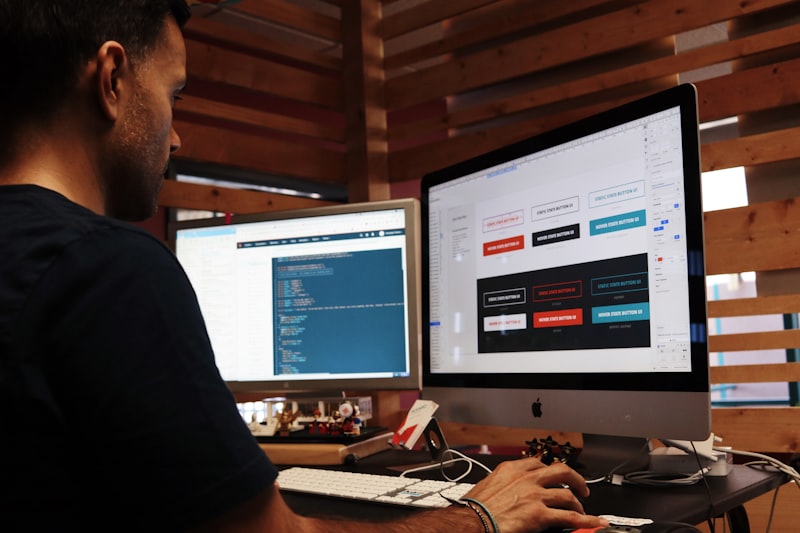
Several excellent mobile online PS tools are available today. Here are some top recommendations:
| Tool | Best For | Key Features | Mobile Experience |
|---|---|---|---|
| Photopea | Full PS compatibility | Layers, filters, PSD support | Excellent |
| Pixlr | Quick edits | AI tools, templates | Very Good |
| Canva | Social media | Templates, easy UI | Good |
| Fotor | Quick enhancements | HDR, batch processing | Good |
| Sumo Paint | Creative effects | Brushes, filters | Moderate |
Photopea stands out as the most comprehensive option, offering near-complete Photoshop functionality in a mobile-friendly interface. Its support for PSD files means you can edit professional projects directly on your mobile device.
How to Get Started with Mobile Online PS
Getting started with mobile online PS is straightforward:
- Open your mobile browser (Chrome, Safari, Firefox all work well)
- Navigate to your chosen online PS platform (like Jiuyouyi Online PS)
- Open your image from device storage or cloud services
- Edit using available tools - layers, filters, text, and more
- Save or export your edited image in your preferred format
The intuitive interfaces of these tools mean you can achieve professional results without extensive training. Most platforms also offer tutorials and guides to help you master advanced features.
Optimizing Your Mobile Editing Workflow

To maximize your productivity with mobile online PS:
Use Cloud Storage Integration
Connect your cloud storage accounts (Google Drive, Dropbox) to easily access your photo library from any device. This eliminates the need to transfer files manually between devices.
Master Touch Gestures
Learn the touch gestures supported by your chosen platform:
- Pinch to zoom for detailed work
- Two-finger rotate for orientation
- Long press for quick access to tool options
Work in Batches
Process multiple photos with similar edits efficiently. Many online PS tools support batch operations for tasks like resizing, format conversion, or applying the same filter to multiple images.
Frequently Asked Questions
Is mobile online PS really free?
Yes, most mobile online PS tools offer robust free versions. Some advanced features may require a premium subscription, but the free tiers typically include everything most users need for professional-quality editing.
Will mobile online PS work on any smartphone?
Mobile online PS works on any smartphone with a modern web browser. For the best experience, ensure your browser is updated to the latest version. Most tools recommend Chrome or Safari for optimal performance.
Can I open and edit PSD files on mobile?
Yes! Tools like Photopea fully support PSD files, allowing you to open, edit, and save Photoshop projects directly on your mobile device while preserving layers and effects.
What’s the maximum file size I can edit?
File size limits vary by platform, but most mobile online PS tools can handle files up to 100MB or larger. For very high-resolution images, consider using the desktop version or reducing file dimensions.
Do I need an internet connection to use mobile online PS?
Yes, since these tools are web-based, an internet connection is required. However, once loaded, some tools offer limited offline functionality for basic edits.
Are my photos stored on the platform’s servers?
Most reputable mobile online PS platforms process images locally in your browser and don’t store your photos on their servers. Always check the privacy policy of your chosen platform to understand how your data is handled.
Conclusion
Mobile online PS has democratized professional photo editing, putting powerful tools in everyone’s pocket. Whether you need to make quick social media edits, create marketing materials on the go, or pursue creative photography projects, these free web-based tools deliver the functionality you need without downloads or subscriptions.
The combination of professional features, mobile accessibility, and zero cost makes online PS for mobile an essential tool for modern content creators. With intuitive interfaces and powerful capabilities like layers, filters, and AI-powered background removal, there’s never been a better time to explore mobile photo editing.
Ready to experience professional photo editing on your mobile device? Try these tools today and unlock your creative potential wherever you are.
→ Try Jiuyouyi Online PS Now — Free Professional Photo Editing Tool