Can Online Photoshop Do Graphic Design? Complete Guide for Designers
Wondering if online Photoshop can handle graphic design? This comprehensive guide analyzes the graphic design capabilities of web-based PS tools, what you can achieve, when to use desktop version, plus practical tips.
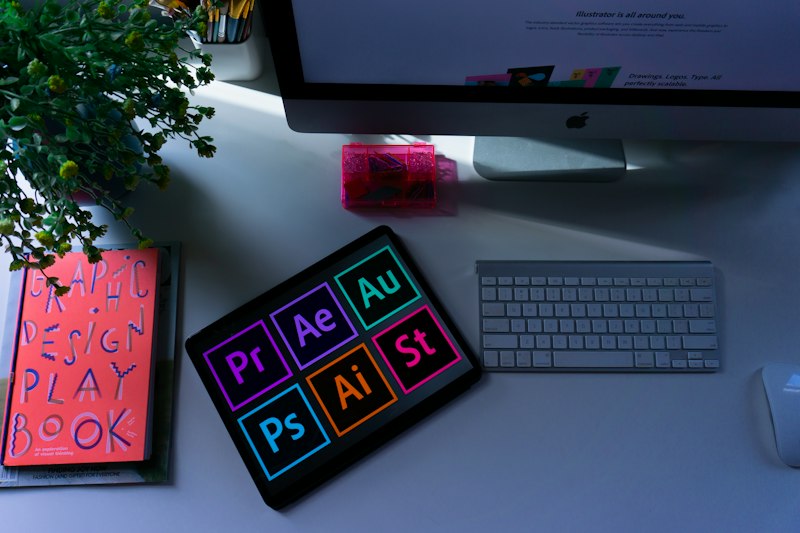
With Adobe launching Photoshop on the web, more design enthusiasts are asking: Can online Photoshop do graphic design? Is it powerful enough? Today we’ll dive deep into this question to help you make the right choice.
What is Online Photoshop?
Online Photoshop refers to browser-based Photoshop-style tools that require no software installation. Simply access through your browser to experience core PS features. This is a huge convenience for users without high-spec computers or those who need to work from anywhere.
Note that besides Adobe’s official web version, there are many third-party online PS tools (like 99ue Online Photoshop, Photopea, etc.) that offer even more powerful features than the official web version - and they’re completely free.
Core Features of Online Photoshop
Basic Photo Editing

Online Photoshop supports these basic operations:
- Image cropping: Adjust composition, remove unwanted content
- Resize: Adapt to different platform specifications
- Rotate and flip: Correct image orientation
- Exposure adjustment: Brightness, contrast, highlight and shadow control
- Color adjustment: Saturation, hue, color temperature and more
These basic features are sufficient for 90% of daily image processing needs.
Layer Operations
Layers are the core of graphic design, and online Photoshop supports:
- Create, delete, and rename layers
- Layer group management
- Opacity adjustment
- Blend mode settings
- Layer order arrangement
These features are adequate for creating posters, promotional graphics, social media images, and other basic graphic design work.
Text Tools

Online Photoshop supports complete text editing features:
- Add and edit text content
- Set font, size, and color
- Text alignment and spacing adjustment
- Basic text effects (shadow, stroke, etc.)
Perfect for poster headlines, promotional copy, watermarks, and other typography needs.
Drawing and Shape Tools
- Brush tool: Supports different brush sizes and hardness
- Eraser tool: Precision erasing
- Shape tools: Rectangle, ellipse, polygon, and other basic shapes
- Gradient fill: Create gradient backgrounds
Suitable for simple composition design and decorative element creation.
File Format Compatibility
Supports reading and saving PSD files, as well as exporting to JPEG, PNG, and other common formats for easy sharing and re-editing.
Advantages of Online Photoshop for Graphic Design
No Installation, Cross-Platform Usage
With just a browser, you can use it on Windows, Mac, Linux, or even tablets and Chromebooks. Work on designs anywhere - during business trips or travel.
Cloud Storage
Supports cloud storage with multi-device file syncing, convenient for team collaboration. Auto-save ensures you never lose progress.
Clean Interface, Quick Learning Curve
More beginner-friendly with simplified operations, no need to face complex menu options. The learning curve is much gentler than the desktop version.
Zero Cost Experience
Third-party online PS tools like 99ue are completely free, with no subscription required for full feature access.
Limitations of Online Photoshop

While online Photoshop features are increasingly comprehensive, limitations remain compared to the desktop version:
- Limited advanced features: Some filters, action scripts, precision cutouts, and batch processing features are simplified or missing
- Large project support insufficient: Complex multi-layer design files may lag, certain plugins unusable
- Network dependency: Requires stable internet connection, speed and smoothness affected by network
- Weak color management: Limited support for professional printing color profiles
What Graphic Design Needs Can Online Photoshop Handle?
Fully Capable Scenarios
| Design Type | Description |
|---|---|
| Social media graphics | WeChat article covers, Twitter images, Instagram posts, etc. |
| Simple poster design | Event promotions, sale posters, recruitment posters |
| Business card/flyer design | Basic business cards, single-page flyers, invitations |
| Photo enhancement | Portrait retouching, product image processing, landscape color grading |
| Typography | Title design, text posters, watermark additions |
| Simple logo design | Initial concepts, simple graphic combinations |
Scenarios Requiring Desktop Version
- Complex brand identity design
- Large-format catalogs and magazine layouts
- Professional print design (requires precise color management)
- Advanced compositing and special effects
- Batch processing large numbers of images
- Workflows requiring specific plugins
Alternative: More Powerful Online PS

If you need more powerful features than Adobe’s official web version, we recommend 99ue Online Photoshop:
- Completely free, no subscription
- Supports PSD, AI, XD, and other formats
- Complete layers, masks, and filter features
- Smart one-click background removal
- User-friendly interface
- No registration required, open and use
Features match Adobe’s official web version with a smoother experience - the ideal assistant for graphic designers.
Tips for Using Online Photoshop
- Use history to prevent mistakes: Always able to undo, feel free to experiment with effects
- Master shortcuts for efficiency: Common shortcuts like Ctrl+Z undo, Ctrl+S save
- Save to cloud regularly: Develop auto-save habits to prevent data loss
- Manage layers properly: Name and group layers to keep workspace organized
- Export backups regularly: Save important projects as PSD locally
Frequently Asked Questions
Q: Can online Photoshop do commercial design?
A: It can complete simple commercial designs like posters, business cards, and promotional graphics. For complex projects, we recommend using desktop PS to ensure quality and efficiency.
Q: Can files be exchanged between web and desktop versions?
A: Supports PSD and other mainstream formats, files can be uploaded and downloaded for easy platform switching. Note that some advanced features may not be editable in the web version.
Q: Does the web version have computer requirements?
A: The web version mainly relies on the browser, with minimal local requirements. Average computers and even tablets can run smoothly.
Q: Are third-party online PS tools safe?
A: Choose reputable platforms like 99ue that use HTTPS encryption and don’t store user files - data security is guaranteed.
Q: Can I learn PS using the web version?
A: Absolutely! The web version has core features and a clean interface, making it an ideal entry tool for learning PS. Once you master the web version, learning the desktop version becomes much easier.
Ready to experience professional-level online graphic design? Visit 99ue Online Photoshop now - free access to all features, PSD editing, smart cutout, professional filters, graphic design made easy!
No installation, no payment - just open your browser and start creating.